Sign Up
Create an account at tulsk.io/sign-up. Sign-up is free — you don’t need a credit card to start.
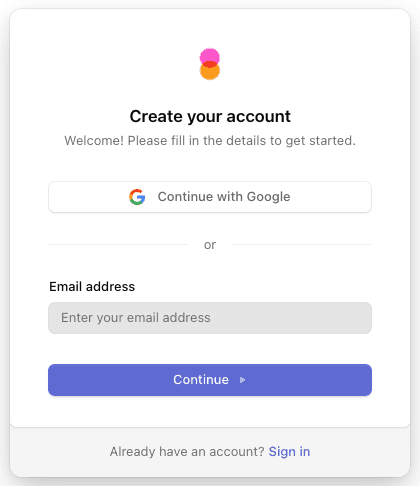
Authentication Methods
The sign-up screen offers whichever methods are enabled for your Clerk instance — typically:
- Email and password — verifies the email with a one-time code before activating the account.
- Social providers (Google, GitHub, etc.) — single-click sign-up using your existing identity. If you choose this path, no separate password is created.
Use the email you intend to use long-term. It’s the address agents, Workspace Chat notifications, and teammates will see in mentions and comments. You can change your display name later from Settings → Profile, but switching your primary email is more involved.
After Sign-Up: Onboarding
The first time you sign in, Tulsk redirects you to /onboarding. This is where you create your first workspace — a Clerk organization that holds your projects, agents, and teammates.
- Pick a workspace name. The slug becomes part of every URL inside it (
tulsk.io/your-slug/...). A few slugs are reserved because Tulsk already serves them (agents,pricing,docs,settings, and similar), so the form asks for another one. - Confirm — Tulsk creates the organization, makes you the Owner, and drops you on the workspace home. If you arrived from a page that offered something specific — a chat prompt, or an agent such as the SEO Agent — you land there instead, with what you picked already filled in.
You can belong to multiple workspaces. Use the organization switcher at the top of the sidebar to move between them.
Joining an Existing Workspace
If a teammate has already created a workspace, they can invite you from Settings → Members. You’ll get an email with an accept link — once you sign up (or sign in, if you already have an account), the workspace appears in your organization switcher.
See Workspace → Members & Teams for the invite flow.
Trouble Signing Up?
Use the Sign In page instead.
Already have an account?Manage your profile, password, and connected accounts.
Account settingsIf verification emails don’t arrive, check spam and confirm your email provider isn’t filtering messages from clerk.com. Contact support if it persists.